








Open format DJ Edits8
1000 tracks offline storage6
Lossless FLAC audio streaming7
Free Traktor Play DJ license4
Free Pete Tong DJ course5
Full-track playback2
High-quality audio streaming2
Unlimited purchase re-downloads3
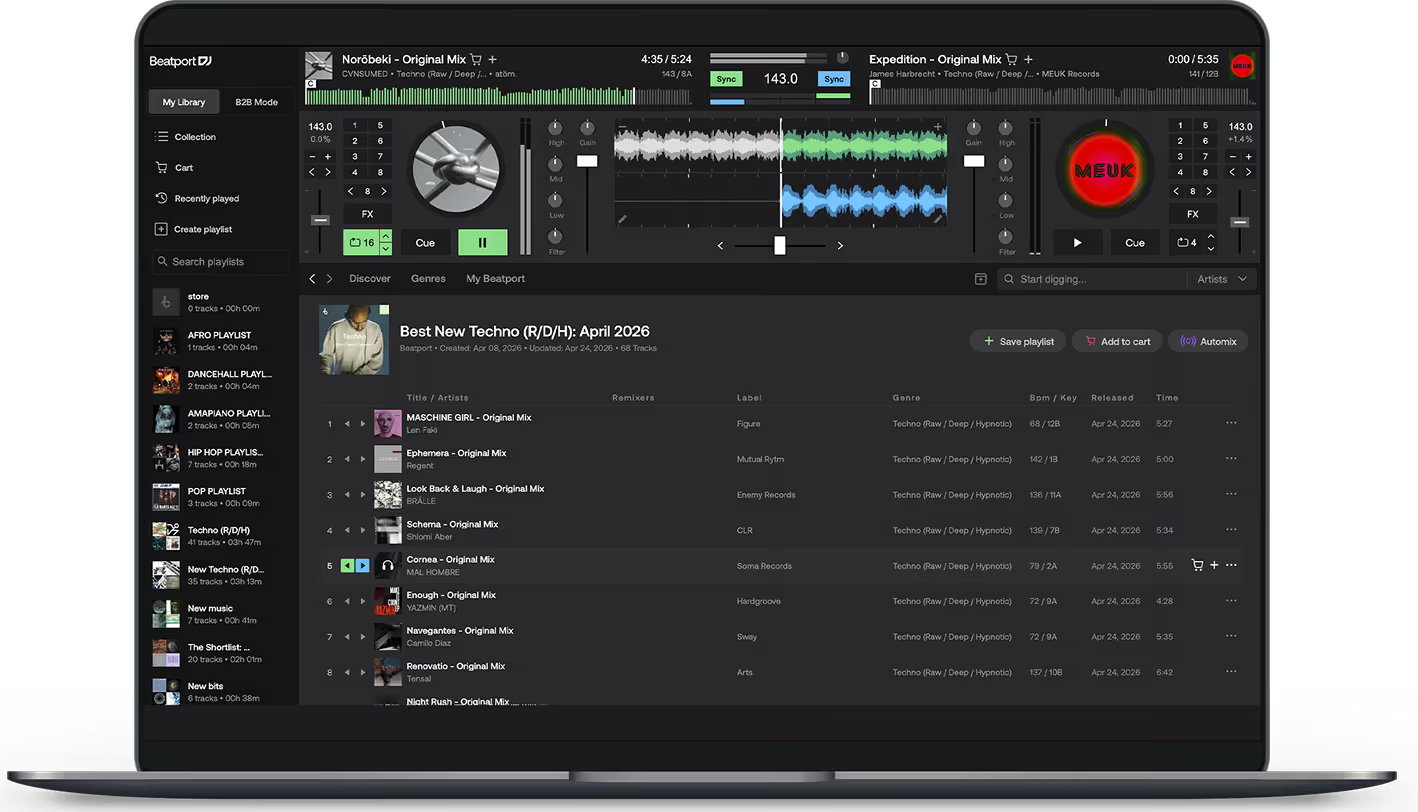
1. DJ integrations supported: CDJ-3000/X, DEX, djay Pro, DJ.Studio, DJUCED, edjing Mix, Engine DJ OS, future.dj.pro, OMNIS-DUO, OPUS-QUAD, rekordbox, Serato, Traktor, Tribe XR, VirtualDJ, WeDJ, XDJ-AZ. The Beatport catalog is ready for stem separation, although this capability depends on whether your chosen DJ integration supports real-time stem separation.
2. Full-track high-quality playback (no more lo-fi previews). Supported on: Beatport.com, Beatport mobile app, Beatport DJ.
3. Purchased tracks in your Collection have no download limits. Free downloads of unpurchased tracks are not included.
4. Free perpetual license for Traktor Play DJ software by Native Instruments.
5. Free 1-month access to Pete Tong DJ Academy Pro, with exclusive content from world-class DJs and producers.
6. Supported on all DJ software integrations. Not supported on: CDJ-3000/X, Engine DJ OS, OPUS-QUAD, OMNIS-DUO, XDJ-AZ, Beatport.com, Beatport mobile app, Beatport DJ.
7. Supported on all DJ software integrations. Not supported on: CDJ-3000/X, OPUS-QUAD, OMNIS-DUO, XDJ-AZ, Beatport.com, Beatport mobile app, Beatport DJ.
8. DJ Edits and Versions are only available for streaming with a Professional+ plan and cannot be purchased or downloaded.
.svg)



In what countries is Beatport Streaming available?


Beatport Streaming is officially supported in Globally, with the exception of the US Embargoed countries and the People’s Republic of China.
How many devices can I use Beatport Streaming from?
You may use Beatport Streaming with up to five (5) devices. Additional devices will be viewed as a violation of the Streaming Terms and Conditions.
Why do I need to add payment information for a free trial?
Even with a 30-day free trial, you will still need to add a form of payment since you are signing up for a membership. There is no charge during the free trial, but if you don’t cancel your membership during the trial period, you will be billed at the end of the trial for the following month.
Please note: You may receive an initial authorization charge (usually $1 USD) on your account to verify the payment method. This will be refunded shortly after the payment has been confirmed.
How do I use Beatport Streaming with my DJ software?
rekordbox
To connect Beatport Streaming to rekordbox, you will need a rekordbox dj license. This will allow you to access the performance features and let you perform with a compatible controller.
Open rekordbox.
Make sure you are in “Performance Mode” by clicking the mode menu in the top left corner, next to the rekordbox icon.
Go to rekordbox “Preferences” by clicking the cogwheel in the top right corner.
In the layout section, make sure “Beatport” is checked.
Close the “Preferences” window.
Locate “Beatport” in the library browser on the left side and select “Log in”.
Log in to your Beatport account via the pop up browser.
Sign in with your Beatport account or activate your free trial. A new browser will open.
After login, return to rekordbox.
rekordbox will show you a “library loading” notification. You’re now connected!
Traktor
Beatport Streaming is available from Traktor Pro 3 v3.5.0.6.
Download or upgrade to Traktor Pro 3
Install and open
Open Traktor Preferences > Streaming > [Streaming Subscription required] Login to Beatport with your Beatport username and password
Find all your playlists > Curated Playlist and Top 100 in the left panel
Serato
Open Serato DJ Pro 2.4 or Serato DJ Lite 1.4 or higher.
Click the cogwheel in the top right.
Select the “Library + Display” tab.
On the bottom of the menu, make sure “Show Streaming Services” is checked, as well as “Beatport”.
Click “Sign up/Login to Beatport” and enter your credentials when prompted.
You’re now connected!
djay
For the Desktop app:
Open djay Pro.
Click the Beatport logo in the library menu on the left.
Log in to your Beatport account.
You’re now connected!
For the Mobile app:
Open djay.
Click the blinking icon next to “Tap to load”.
Select Beatport from the list of options.
Log in using your Beatport credentials.
You’re now connected!